VetCast · Digital signage

Screens that know who just walked in.

VetCast connects to your practice management system, so the lobby greets each patient by name, the exam room picks up where the lobby left off, and what plays in between is matched to why they came in.

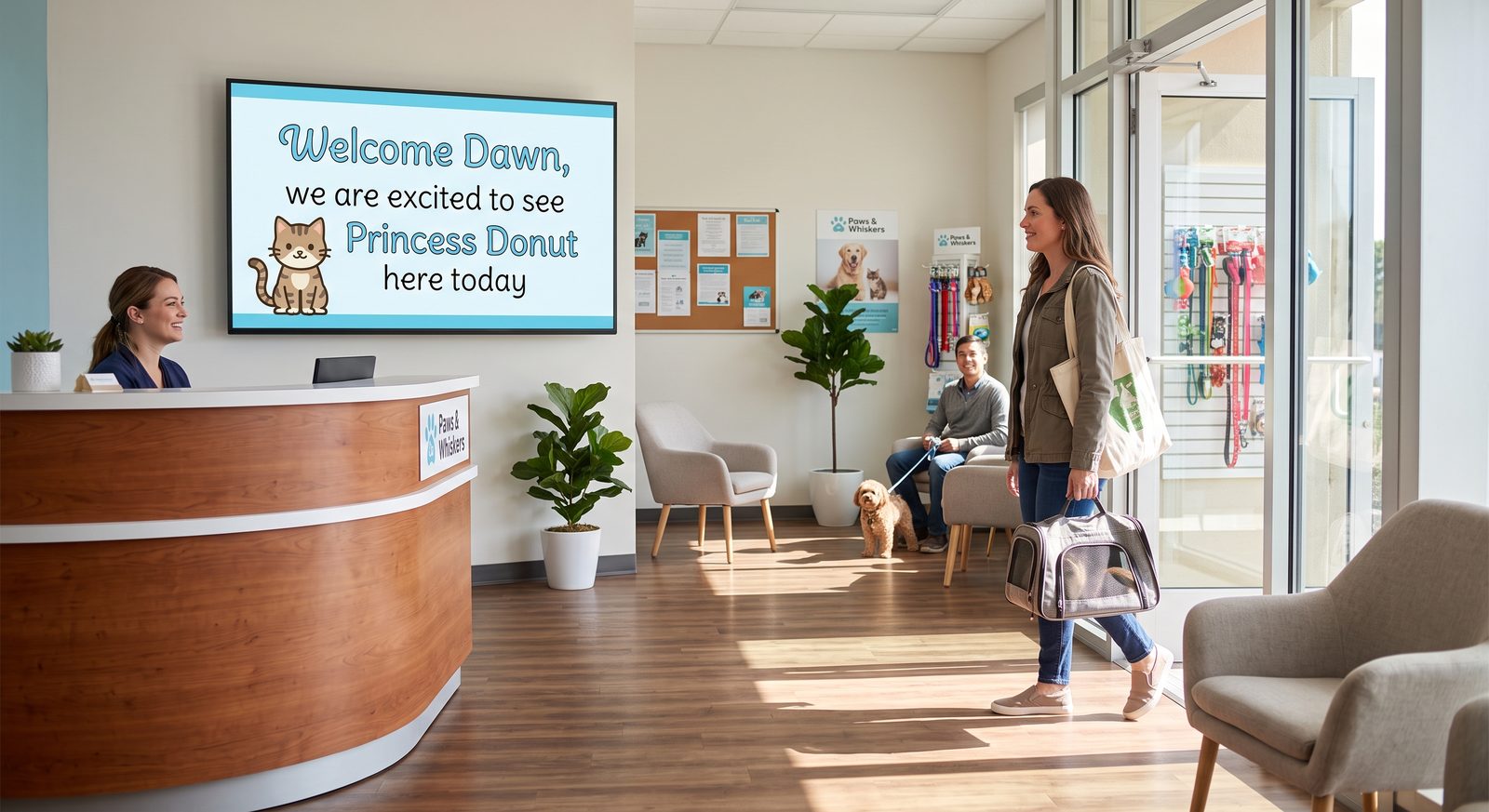
A veterinary lobby screen reading Welcome Dawn, we are excited to see Princess Donut here today, as a client arrives with her cat

How it works

The schedule you already keep, on the screens you already have

1

It reads your schedule

VetCast connects to the practice management system you already use. No new list to maintain, no second place to keep appointments up to date.

2

The lobby greets them

A patient is checked in and the lobby screen welcomes them by name, or with a photo their owner would recognise from across the room.

3

The exam room picks it up

When they move to a room, the screen in that room welcomes them too. The experience follows the patient instead of restarting.

4

The content matches the visit

Because VetCast knows why they are here, it can show education about the tests and treatments your practice actually recommends for that visit.

Exam room

The room already knows why they are here

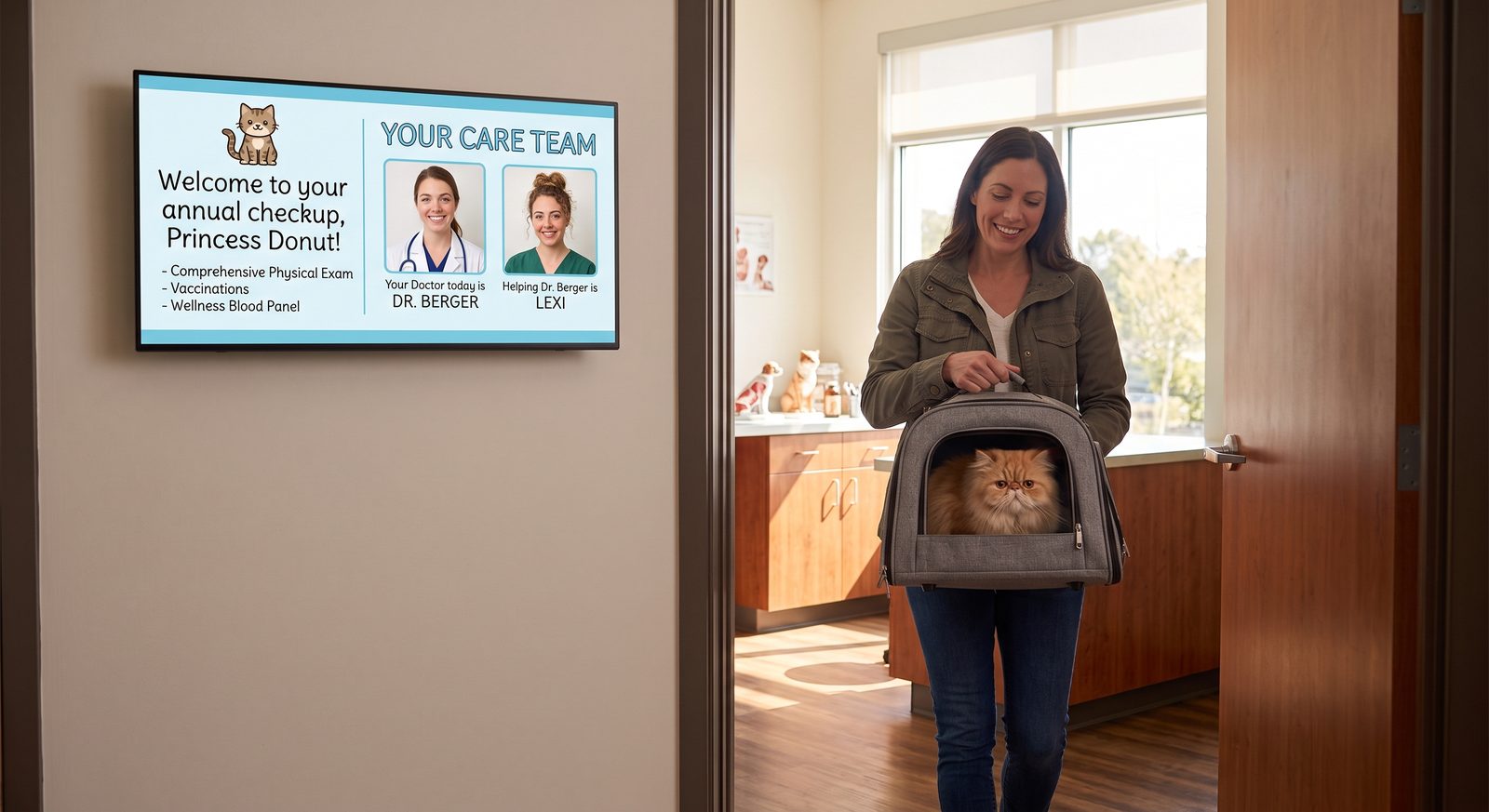
The greeting follows the patient in. Same name, same visit, picked up where the lobby left off rather than starting over on a screen that has been showing the same loop since April.

The plan for the visit is on screen while they wait. What you intend to do and why you recommend it, in writing, with a few quiet minutes to read it. So your client is already educated before you walk into the room.

And they know who is coming. The doctor and the assistant by name and by face, which turns a stranger in scrubs into someone they were already expecting.

An exam room screen welcoming Princess Donut to her annual checkup, listing the visit plan and introducing the care team, as her owner carries her in

A personalized experience for every patient

Greeted by name

Every patient gets their own welcome, in the lobby and again in the room. It reads as attention rather than automation.

Education that fits the visit

Owners arrive at the recommendation already understanding it, so the conversation starts further along than it would have.

Animals on screen between messages

Dogs, cats, lizards, whatever your clients like. Waiting in a room is dead time, and this is what makes it pass.

Your reviews, on the wall

The things clients have already said about you, in rotation, where the next client is sitting.

A QR code that collects more

Ask for the review at the moment the visit went well, on the screen in front of them, not in an email three days later.

Runs itself

Scheduled from the chart and refreshed on its own. Nobody on your team has to remember to update a screen.

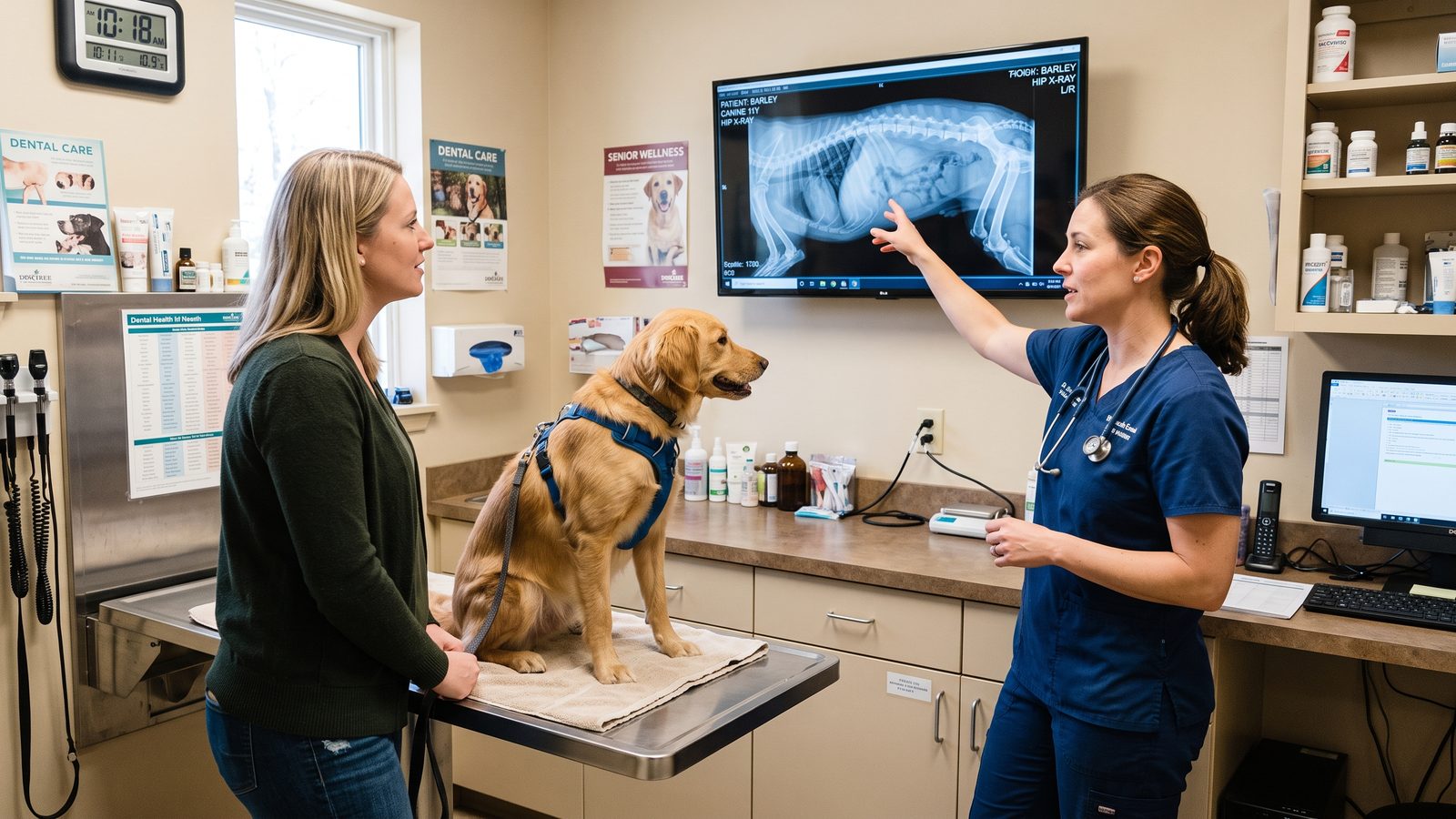
A veterinarian pointing at a radiograph on a wall-mounted exam room screen while an owner and her dog look on

Imaging

Put the x-ray on the wall, not on a laptop

Three people leaning over a thirteen-inch screen turned sideways is how most findings get explained. The owner sees a grey smudge, nods, and agrees to something they did not really see.

VetCast puts the study up on the screen that is already in the room, at a size everyone can actually read. You point at the thing you are talking about and the owner follows your finger to it. The conversation about what to do next starts from a place where they have seen the problem for themselves.

It pairs with VetView, where your studies already live.

Reviews

Ask while the visit is still going well

The best moment to ask for a review is in the room, right after the thing that earned it. VetCast puts your existing reviews in rotation where clients are already looking, and a QR code on screen turns a good visit into the next one.

"They knew his name before we got to the desk. Small thing, but it did not feel like a waiting room."

Scan to leave a review, on screen in the room.

Turn the wait into part of the visit

Tell us what you run your schedule on and we will show you how it looks.

Request a demo